
HR & payroll for multi-country companies · part of the Plumeware family
Know who’s in, who’s out and what everyone is owed — in every country you work in.
One record for attendance, leave, payroll, expenses, performance and hiring. Every branch runs on its own currency, working week, public holidays and timezone, so the figures are right where the work happens — not just at head office.
14-day free trial · No card to start · $4 per employee / month after · Export your data any time
Stop bending every branch to head office’s calendar
Most HR software assumes one country, one currency and a Saturday–Sunday weekend. Peoplume assumes none of those.
Your working week, not ours
Weekend days are set per company and overridden per branch — Friday and Saturday in Doha, Saturday and Sunday in London, or whatever your week actually is. Leave day-counts and payroll deductions use the employee's own calendar, never head office's.
Your currency, never converted
Each branch carries its own currency, and pay is snapshotted in it when payroll runs. Totals are reported per currency and never added together, because there is no exchange rate hidden anywhere in Peoplume to add them with.
Your public holidays
Import them from a calendar file, company-wide or for one branch. Peoplume deliberately ships no built-in country holiday lists: statutory dates are legal facts that change by decree, and we would rather you load yours than we guess.
Your local time
Each branch has a timezone, and the clock an employee checks in against is their own — not the server's. Get that wrong and every late arrival and every overtime minute is wrong with it.
Payroll runs in any country on those settings. Statutory rules — end-of-service, tax, social insurance — are added one country at a time and cover Qatar today; everything else in Peoplume is the same wherever you are.
See it in action
Real screens from the running product, with a demo company’s data.
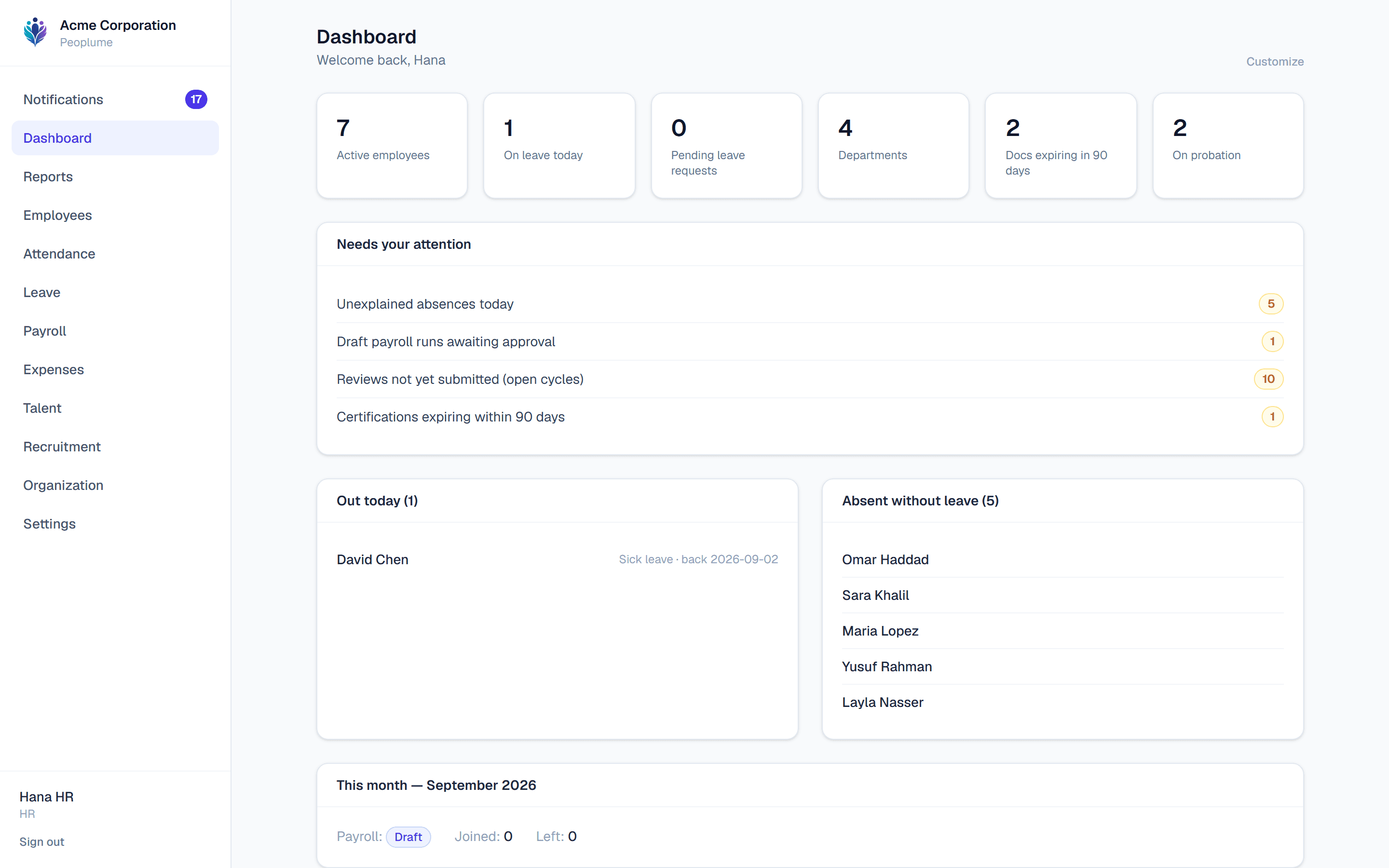
What needs you today
Not a wall of statistics — one line per thing actually waiting on you, each linking to the screen that fixes it.
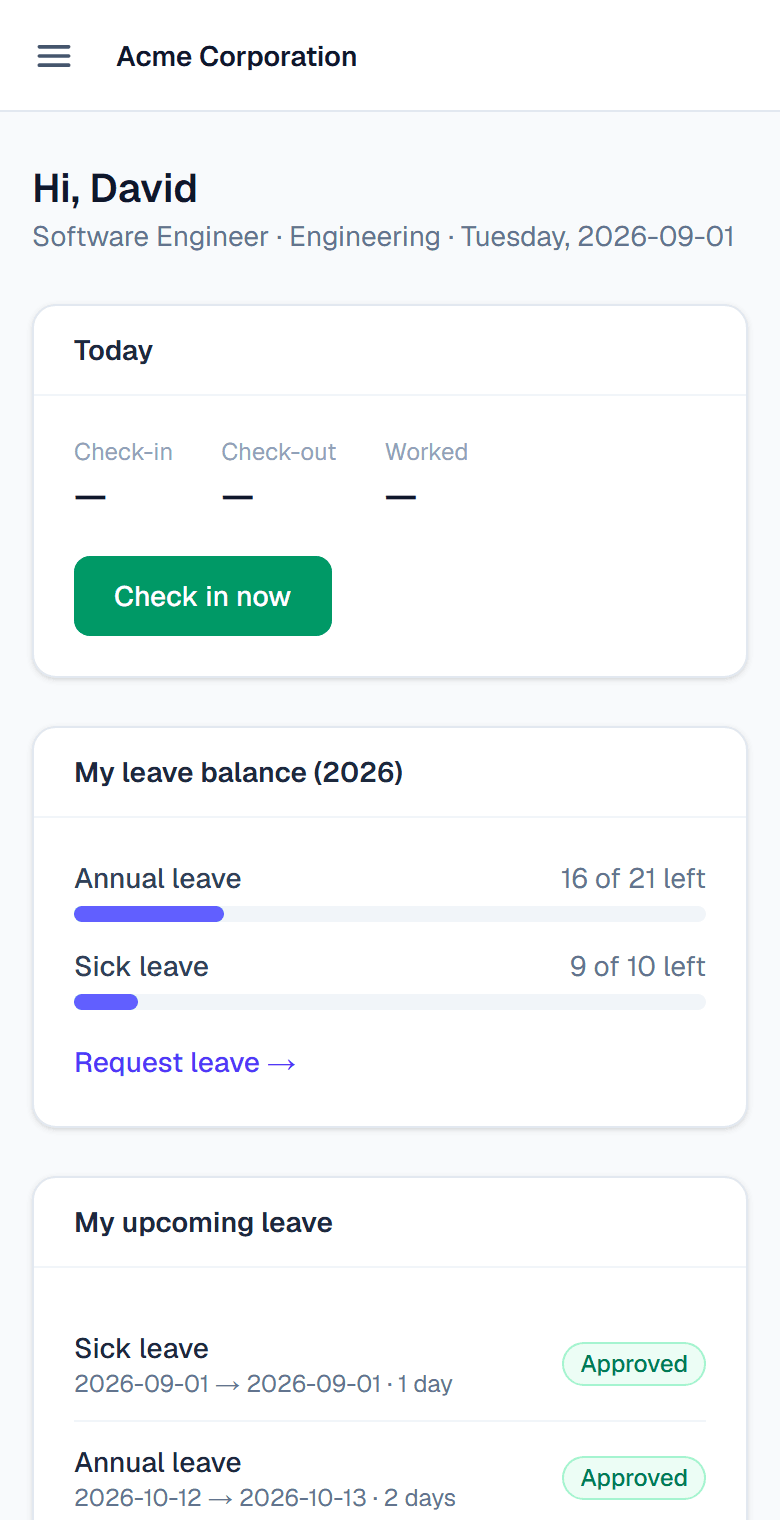
The employee's own view
Staff check in, book leave and read payslips from a phone browser. Nothing to install.
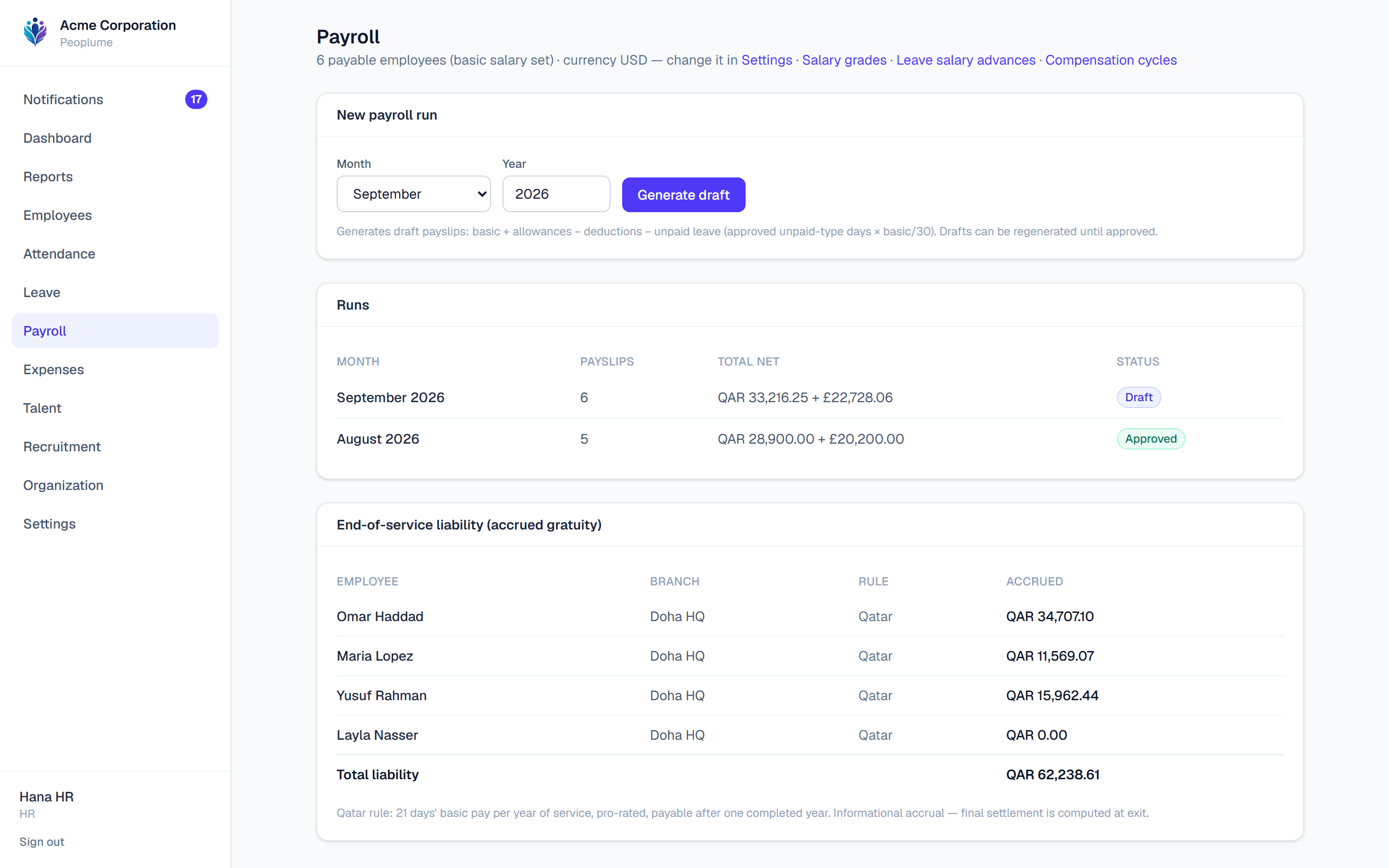
Payroll, per currency
Runs total per currency and are never added together. Qatar branches also accrue end-of-service gratuity.
One plan, everything included
No tiers, so there is no feature behind a bigger number and no limit to run into.
$4 per employee / month
Billed in US dollars · 10-seat minimum
Pay yearly and it is ten months, not twelve
14-day free trial · no card · confirm your email to start
When it ends nothing is charged and nothing is deleted — the account is read-only until you subscribe.
- Every module — HR, attendance, leave, payroll, expenses, performance, hiring, training
- Unlimited branches, departments and admin users
- The employee portal, at no extra cost per person
- Exports, the report builder, the API and webhooks
- Single sign-on and two-step verification
A seat is an employee record that is not terminated — counted from your own data, so someone who leaves stops counting. Cancel at any time from your billing page; the subscription runs to the end of the period you have paid for and does not renew. Unused time on a paid period is not routinely refunded — the refund policy says when it is. Prices exclude sales tax, which Paddle calculates and charges at checkout as merchant of record.
From the first interview to the final payslip, in one place
Employee records
Profiles, contracts and documents with expiry reminders for visas, passports and IDs — the employee's own and their dependents'. Departments, job titles, reporting lines and an org chart. Add your own fields, and bring existing staff in by CSV.
Attendance & shifts
A daily grid and a month matrix built on each employee's own branch calendar. Shift times with a grace period decide lateness and overtime — including shifts that cross midnight.
Clock in without a phone
A shared tablet at the gate becomes a clock: the employee types their number and PIN and the server decides in or out. Printable QR badges. Or punch from the portal, which captures location when the browser allows it.
Leave & absence
Entitlements with carryover caps, half-days, longer allowances by length of service, and sick-pay bands. Requests check the real balance and overlapping colleagues before anyone approves.
Payroll
Monthly salaries or hourly rates, allowances and deductions, loans repaid by instalment, unpaid leave — in any country and any currency. Approved runs are frozen snapshots, and an off-cycle run pays a bonus or a leaver's final pay without waiting for month end. Payslips print, and the ledger exports as a balanced journal carrying your own account codes.
Branches & currencies
Each location carries its own country, currency, weekend days, holidays and timezone. Pay is snapshotted in the branch's currency and totals are never pooled across currencies.
Timesheets & project cost
Employees allocate hours to projects and sign the month off before payroll uses it. See what each project and client consumed in hours and in labour cost, from payroll data you already hold.
Expenses
Claims with per-category policies, per-diem rates, receipts, and a second approver above a threshold you set. Approved claims ride the next payroll run as a reimbursement line.
Performance & succession
Goals, review cycles with your own questions, self-assessments and 360° peer feedback. A calibration grid shows where ratings cluster. Succession plans flag roles with nobody ready.
Training & compliance
Courses, enrolments and certificates with expiry dates. Say which departments need which course and see who is covered, expired or missing — with reminders before a certificate lapses.
Recruitment
Job openings with a public careers page, applicants through the stages, interviews with scorecards, and offers that need a second signature before they go out — then become an employee record.
Permissions & audit
Build roles from individual permissions and scope them to one branch, so a manager sees their own people and nobody else's. Salary changes, approvals and deletions are all recorded.
Payroll figures nobody has to take on trust
- The server works out every figure. Balances, day counts, overtime and payslip amounts are computed on the server from your own configuration — never sent up from a browser and taken on trust.
- An approved payroll run is frozen. Payslips are snapshots. Editing someone’s salary afterwards changes what they are paid next month, not what they were paid last month.
- Currencies are never added together. There is no exchange rate hidden in Peoplume, so a Qatar total and a UK total are shown as two figures rather than one invented one.
- Changing a password signs out every other device. Removing someone’s access actually removes it, rather than leaving a session alive until it expires.
Questions worth asking first
›Is my company's data separate from everyone else's?
›We're not in Qatar — is this for us?
›Does it handle payroll for my country?
›Who can see salaries?
›Can one person approve their own request?
›Do employees need an app?
›We already have our people in a spreadsheet.
›Can we get our data back out?
›Can we cancel, and do we get a refund?
›What language is the interface in?
›What does it cost?
See your own company in it today
Sign up, add a branch and a few people, and see your first payroll run. Import the rest by CSV when you are ready.
Create your companyThe Plume family
More from Plumeware
Peoplume keeps the record of the people. Its sister products keep the record of the hours, the office and the building site — each one separate, with its own site, pricing and sign-in.
Time tracking & workforce productivity
Timeplume
Automatic activity tracking, timesheets and approvals, attendance and project cost for multi-branch companies.
timeplume.com
Office services & workplace operations
Workplume
Service requests, meeting rooms, drivers and document delivery, with chat, tasks and one approvals inbox.
workplume.com
Construction oversight
Siteplume
Inspections, RFIs, NCRs, submittals and daily logs kept as one timestamped project record.
siteplume.com